
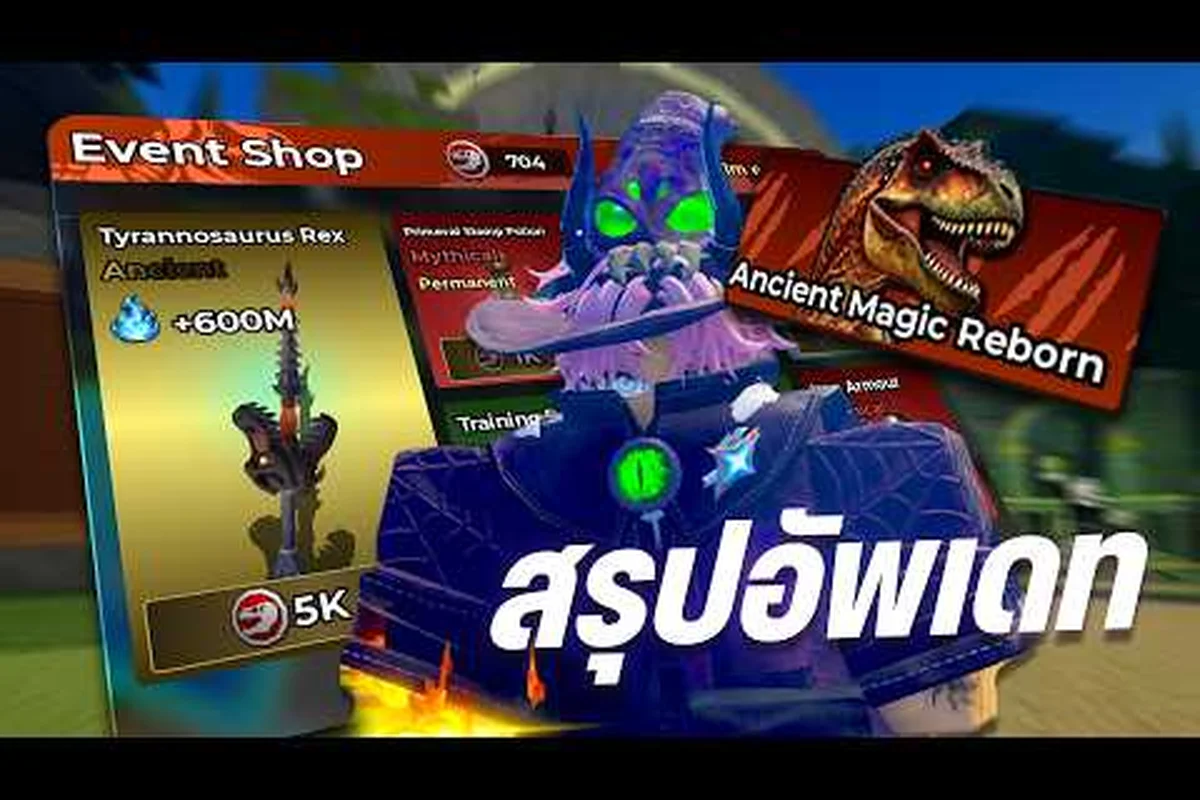
The Magic Dino Event is live right now, and knowing exactly how to join event quests in Magic Loot can mean the difference between grabbing exclusive rewards and watching them vanish. This limited-time window runs from August 7, 2026 at 11:00 UTC through August 14, 2026 at 11:00 UTC, giving you exactly one week to unlock event-exclusive potions, weapons, outfits, and a brand-new broom. Because the event operates on a strict countdown, players who understand the join process early can maximize their farming efficiency without wasting precious hours figuring out the interface. Get the latest event mechanics, reward breakdowns, and skip level strategies below so you can jump straight into the action.
According to Magic Loot on Roblox, players must first join the official game server and then navigate to the event hub, where the mechanics for loot drops and participation are detailed in the in-game instructions.
Understanding the Magic Dino Event Schedule and Windows
The Magic Dino Event follows a fixed weekly calendar rather than a permanent addition to the game, which means every reward you collect carries a sense of urgency. According to community data from Bloxron's event tracker, the main event window opened on August 7, 2026 at 11:00 UTC and will close exactly one week later on August 14, 2026 at 11:00 UTC. This schedule matters because the developers at Magic Magic +1 +1 +1 designed the event around a hard cutoff — once the clock hits zero, all unclaimed rewards and unfinished quests disappear from your interface.
Beyond the main event, there's a separate Admin Abuse window scheduled for August 14, 2026 from 14:00 to 14:30 UTC. This half-hour segment features live admin buffs, random item drops, and shop flashes that can dramatically accelerate your progress. However, players report that these bonuses may disappear when the window ends, so you should plan your play session around this specific time slot if you want to take advantage of the boosted rates.
| Event Window | Start Time (UTC) | End Time (UTC) | Duration |
|---|---|---|---|
| Magic Dino Event | Aug 7, 2026 11:00 | Aug 14, 2026 11:00 | 7 days |
| Admin Abuse Buffs | Aug 14, 2026 14:00 | Aug 14, 2026 14:30 | 30 minutes |
| Reward Claim Deadline | Aug 14, 2026 11:00 | Aug 14, 2026 12:00 | 1 hour grace |
The grace period after the main event ends is a detail many new players overlook. While the quest interface closes at 11:00 UTC, you typically have a short window to claim any earned rewards you haven't collected yet. Community reports suggest this grace period lasts roughly one hour, but relying on it is risky — the magic loot dino event end time is strict, and the game may kick you back to the main hub without warning if you're mid-quest when the timer expires.
Checking Your Local Timezone Conversion
Because the event runs on UTC, players in different regions need to convert the schedule to their local time. The event interface displays a live countdown that automatically adjusts to your timezone, which is the most reliable way to track remaining time. However, if you're planning ahead, remember that UTC-4 (Eastern Daylight Time) means the event ends at 7:00 AM on August 14, while UTC+8 (Singapore Time) puts the deadline at 7:00 PM the same day. Setting a phone alarm for the Admin Abuse window is worth it, since that 30-minute burst of boosted drops can save you hours of grinding.
How to Join Event Quests Step by Step
Joining the Magic Dino Event doesn't require any special items or level thresholds — the event is available to all players regardless of progression. The process takes less than a minute once you know where to look, but first-time players often waste time searching through menus. Here's the exact sequence that works for most players:
-
Launch Magic Loot from the Roblox game page and wait for the world to load completely. The event banner typically appears within the first few seconds of loading, but if you don't see it, check your screen edges for a pulsing icon.
-
Locate the live event banner on your main screen. This banner displays the Magic Dino Event name, the remaining time countdown, and a preview of the exclusive rewards. Clicking it opens the full event interface.
-
Read the quest list carefully before spending any currency. The event interface shows each quest, its objective, and the reward attached to it. Some quests require specific actions like defeating certain bosses or brewing particular potions, so understanding the requirements upfront prevents wasted effort.
-
Click the "Join" or "Accept" button on each quest you want to track. Active quests appear in your quest tracker on the side of the screen, letting you monitor progress without reopening the event menu repeatedly.
-
Track your progress through the event UI and claim rewards immediately when you complete objectives. The game doesn't auto-claim rewards, so forgetting to click the claim button means losing that item when the event ends.
The magic loot how to join event process is deliberately simple, but the real challenge lies in prioritizing which quests to complete first. Since the event lasts only seven days, you need a strategy that maximizes your reward value per hour spent. The event interface groups quests by difficulty, with harder objectives offering better loot — but a beginner player might struggle with high-level boss fights that require significant power investment.
Understanding the Event Quest Interface
The event menu displays three main tabs: Quests, Rewards, and Shop. The Quests tab lists all available objectives with their progress bars, while the Rewards tab shows your claimed items and any unclaimed prizes. The Shop tab is where you spend event-specific currency earned from quests — this currency doesn't carry over after the event ends, so spending it before the deadline is essential.
| Quest Type | Difficulty | Example Objective | Typical Reward |
|---|---|---|---|
| Daily Quests | Easy | Defeat 10 enemies | Event currency + small potion |
| Weekly Quests | Medium | Brew 5 potions | Exclusive weapon skin |
| Challenge Quests | Hard | Defeat the Dino Boss | Limited outfit + broom |
Players who complete all quests in a category earn a bonus reward at the end of the event, which is another reason to track your progress carefully. The magic loot dino event rewards structure rewards consistent play rather than marathon sessions — logging in daily to knock out the easy quests often yields better total value than one massive grinding session on the final day.
Magic Loot Event Tips for Maximizing Your Time
With only seven days on the clock, efficient play matters more than raw grinding time. The magic loot event tips below come from community testing and player reports collected across multiple event cycles, so they reflect what actually works rather than theoretical strategies. Start with the daily quests because they reset every 24 hours — missing a day means losing that day's rewards permanently.
-
Prioritize quests that reward event currency over those that give standard items. Event currency unlocks the exclusive shop items, which are the true prizes of the Magic Dino Event.
-
Pair event quests with your normal progression. If a quest asks you to defeat a specific boss, combine it with your regular farming route so you're not making trips solely for event objectives.
-
Save your potions for the Admin Abuse window. The 30-minute buffed period on August 14 multiplies the value of training potions and lucky potions, so hoarding them until then can double your gains.
-
Check the event shop daily because the inventory rotates. Items that appear on day one might not return before the event ends, and community reports indicate the best weapons often appear mid-week.
-
Don't ignore the skip level system. This event introduces a magic loot skip level system that lets you bypass early levels for a cost, which is invaluable if you're starting fresh or trying to reach higher-tier quests quickly.
The magic loot event skip level mechanic deserves special attention because it's not available outside events. When you use this system, you pay event currency to instantly advance past a level, unlocking higher-tier quests and better farming zones. For new players, this can compress what would normally take days of grinding into a single session — but the cost scales with each level, so using it strategically on the final few levels before a boss fight is usually smarter than skipping early levels you can clear quickly anyway.
Building an Efficient Daily Routine
An effective event routine balances quest completion with regular progression. Start each session by opening the event menu and checking which daily quests are available, then plan your play around those objectives. If a quest requires brewing potions, combine it with your normal alchemy routine — the potion system guide explains how to optimize your brewing efficiency, which directly translates to faster event quest completion.
| Time Investment | Activity | Expected Reward Value |
|---|---|---|
| 15 minutes | Complete daily quests | High (event currency + items) |
| 30 minutes | Farm bosses for weekly quests | Medium-High (weapon skins) |
| 45 minutes | Grind levels with skip system | Medium (unlocks better quests) |
| 30 minutes (Aug 14 only) | Admin Abuse window | Very High (buffed drops) |
The table above shows a realistic daily commitment of about 90 minutes, which is enough to clear most event content without burning out. Players who can only play on weekends should focus on the challenge quests first, since those offer the highest single-reward value and don't reset daily. The weekly quests also don't reset, so weekend players can complete them in one extended session if they plan their route efficiently.
Dino Event Rewards Breakdown and Value Analysis
The magic loot dino event rewards list includes several item categories, each with different long-term value. Understanding what's worth chasing helps you allocate your limited event time effectively. According to community data from the event tracker, the exclusive rewards fall into four main tiers:
-
Exclusive Potions: These include event-only variants that boost training speed or luck beyond what's available in the standard game. Because they're limited-time items, they hold value for collectors and competitive players alike.
-
Weapon Skins: Cosmetic upgrades that change your weapon's appearance without altering stats. These are purely aesthetic, so they matter most if you care about visual customization.
-
Outfits: Full character cosmetics that display your event participation. These become status symbols after the event ends, since new players won't be able to obtain them.
-
New Broom: The event introduces a broom that's reportedly faster than standard options. This has practical gameplay value because movement speed affects farming efficiency across all content.
| Reward Tier | Items Included | Permanent Value | Grind Difficulty |
|---|---|---|---|
| Common | Standard potions, basic currency | Low | Easy |
| Rare | Exclusive potions, weapon skins | Medium | Medium |
| Epic | Outfits, event broom | High | Hard |
| Legendary | Secret items (unconfirmed) | Very High | Very Hard |
The legendary tier items are worth mentioning because the community is still investigating whether they exist. Some players report seeing a hidden quest that unlocks after completing all other event objectives, but the magic loot dino event end date may arrive before anyone confirms this. If you're a completionist, aim to clear every visible quest first, then investigate any grayed-out objectives that appear in the event menu.
Comparing Event Rewards to Regular Game Items
Event rewards often feel underwhelming compared to end-game gear, but that comparison misses the point. The exclusive potions, for instance, can accelerate your progression in ways that standard items can't match — a training potion that boosts XP gain by 50% for an hour is worth more than a slightly better weapon if you're still leveling. The event broom's movement speed bonus also compounds over time, saving you minutes across every farming session.
For players who want to understand how event rewards fit into the broader progression system, the online rewards guide breaks down how different boost types interact with your power curve. The key insight is that temporary boosts during events can permanently accelerate your account if you use them during high-value farming windows — which is exactly why the Admin Abuse window is so valuable.
Skip Level System Explained
The magic loot skip level system is the most innovative mechanic in the Magic Dino Event, and understanding it can save you dozens of hours. Unlike standard leveling, which requires grinding enemies and completing quests to advance, the skip system lets you pay event currency to instantly advance through levels you've already proven you can handle. This creates an interesting strategic choice: spend currency to reach higher-tier content faster, or save it for shop items that might disappear after the event.
| Skip Range | Cost (Event Currency) | Time Saved (Est.) | Best Use Case |
|---|---|---|---|
| Levels 1-10 | 50 per level | 30-60 min each | New players starting fresh |
| Levels 11-25 | 100 per level | 1-2 hours each | Players stuck on mid-game |
| Levels 26-40 | 200 per level | 2-4 hours each | Late-game players rushing |
| Levels 41+ | 400 per level | 4+ hours each | End-game players min-maxing |
The cost scaling means you should never skip levels you can clear in under 15 minutes — the time saved doesn't justify the currency cost. Instead, use the skip system to bypass the tedious mid-game levels where enemy difficulty spikes but rewards don't increase proportionally. Community testing suggests the sweet spot is skipping levels 15-25, where the grind-to-reward ratio is worst.
Strategic Skip Level Usage
The best players combine the skip system with the Admin Abuse window for maximum efficiency. Here's the strategy: save your event currency during the first six days, complete all the quests you can normally, then use your accumulated currency to skip through the worst levels during the 30-minute buffed window on August 14. The buffed drops during that window make every minute more valuable, so spending currency to reach higher-level farming zones during that time compounds your gains significantly.
For complete beginners, the skip system also solves the entry barrier problem that normally prevents new players from participating in high-level events. If you're starting Magic Loot during the event week, the beginner guide recommends using your initial event currency to skip straight to level 20 or so, which puts you in a position to complete mid-tier event quests without spending your entire week grinding basics. The how to start guide covers the early-game progression in more detail, but the event skip system effectively lets you compress that entire phase into a single session.
Frequently Asked Questions
How do I join the Magic Dino Event in Magic Loot?
Open the game and find the live event banner on your main screen—it pops up right after the world loads. Tap it to open the event hub, pick a quest from the list, and hit "Join" to track it. That’s it, under a minute, open to every player.
What rewards can I earn from the Magic Dino Event?
The event offers exclusive potions, weapon skins, outfits, and a new broom that aren't available through normal gameplay. You earn these by completing daily, weekly, and challenge quests, then spending event currency in the limited-time shop. Higher-difficulty quests offer better rewards, and completing all quests in a category grants a bonus prize at the event's end.
When does the Magic Dino Event start and end?
The Magic Dino Event starts August 7, 2026 at 11:00 UTC and ends August 14, 2026 at 11:00 UTC—exactly seven days. To join, open the event tab in-game and hit “Enter.” Don’t miss the final-day Admin Abuse window (14:00–14:30 UTC) for boosted drops.
How does the skip level system work during the event?
The magic loot skip level system lets you pay event currency to instantly advance past levels, bypassing the normal grinding requirement. Costs scale with level, starting at 50 currency for early levels and rising to 400+ for high levels. Strategic use involves skipping the worst mid-game levels while saving currency for the Admin Abuse window's buffed drops.
Can I claim event rewards after the event ends?
You have a short grace period—roughly one hour—after the event ends to claim earned rewards, but the game may boot you mid-quest once the timer hits zero. Claim immediately after each quest to stay safe. For joining, check the Magic Loot page’s event tab and hit “Join” before the countdown.